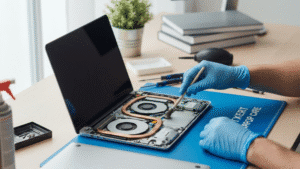
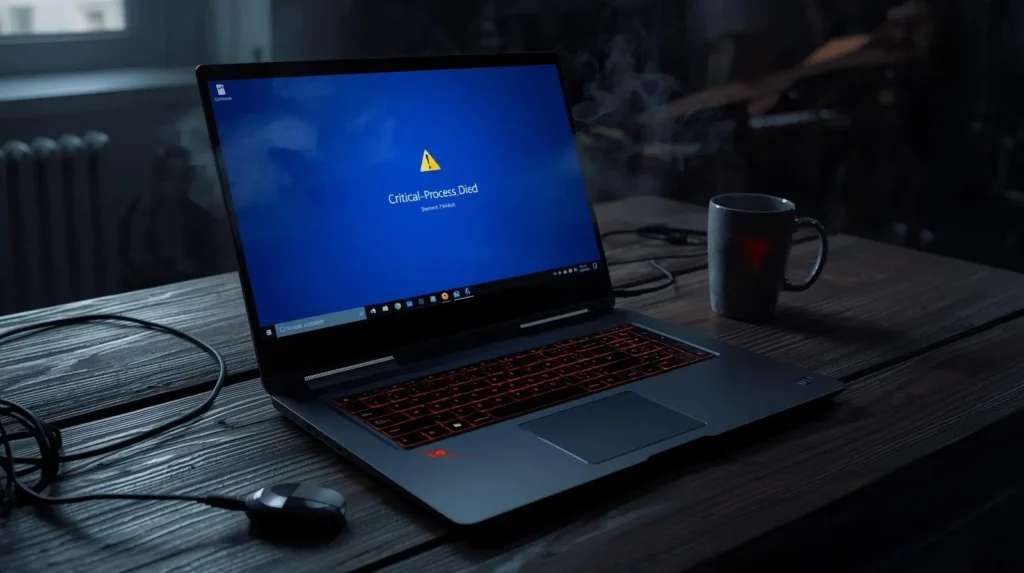
Laptops freezing or crashing can feel frustrating, especially when it happens during important work or personal tasks. These issues are rarely random. In most cases, they are warning signs that something inside the system needs attention. Whether the problem appears occasionally or happens every day, understanding the root cause can help prevent long-term damage. If the issue persists, a professional laptop repair service in Adelaide can help diagnose the problem early and reduce the risk of permanent failure.
Understanding the Difference Between Freezing and Crashing
A frozen laptop usually stops responding while remaining powered on, whereas a crash often forces the system to shut down or restart unexpectedly. Freezing may allow recovery after waiting, but crashes tend to interrupt files and processes instantly. Both behaviors signal underlying problems that should not be ignored.
Freezing often indicates performance limitations or software conflicts. Crashing usually points to deeper hardware or operating system failures. Knowing which one occurs more frequently can help narrow down the cause.
Software-Related Causes You Should Not Ignore
Outdated software, incompatible programs, and corrupted system files are common reasons laptops become unstable. Operating systems rely on smooth communication between applications and hardware drivers. When that communication breaks down, freezing and crashing follow.
Background Processes and System Load
Many applications continue running in the background without the user noticing. These processes consume memory and processing power, gradually slowing the system. When system resources are stretched too far, the laptop may freeze while trying to manage competing tasks.
Malware and Corrupted Applications
Malicious software and poorly coded programs can interfere with system operations. Malware often runs hidden processes that overload the system, while corrupted applications may repeatedly crash and destabilize the operating system.
Hardware Stress and Component Failure
Physical components age over time, especially in laptops that are used daily. Hard drives, RAM modules, and internal cooling systems are particularly vulnerable. When hardware begins to fail, the system may freeze while trying to read data or crash when it cannot access essential files.
Overheating and Internal Damage
Overheating is a major contributor to system instability. Dust buildup inside the laptop restricts airflow, causing internal temperatures to rise. When components overheat, the system may crash automatically to prevent permanent damage.
Memory and Storage Issues That Impact Stability
Insufficient RAM limits the number of tasks a laptop can handle at once. When memory is exhausted, the system freezes while trying to compensate. Storage problems, especially with older hard drives, can cause crashes when the system cannot retrieve required data.
Bad sectors on a drive or corrupted file structures interrupt normal operations. In severe cases, important files become inaccessible, making professional data recovery service support essential to prevent permanent data loss.
How Operating System Errors Affect Performance
The operating system manages every process on a laptop. When system files are damaged or updates fail, stability suffers. Blue screen errors, random restarts, and repeated crashes are often signs of OS level problems.
Driver conflicts are another factor. Hardware drivers must remain compatible with the operating system. An outdated or faulty driver can cause the entire system to crash without warning, especially during hardware-intensive tasks.
The Role of Power and Battery Problems
Unstable power delivery can cause laptops to freeze or shut down unexpectedly. Faulty batteries, damaged chargers, or inconsistent power sources interrupt system operations. When the voltage drops suddenly, the system may crash to avoid damage.
Over time, degraded batteries struggle to provide consistent output. This problem is common in older laptops and often misdiagnosed as a software issue when it is actually electrical.
When Freezing and Crashing Become Warning Signs
Occasional freezing may not seem serious, but repeated incidents point to deeper problems. Frequent crashes increase the risk of file corruption and hardware failure. Ignoring these signs often leads to higher repair costs later.
At this stage, relying on a trusted repair service in Adelaide ensures accurate diagnostics and safe handling of both hardware and software components before the damage becomes irreversible.
Preventive Steps to Reduce Laptop Instability
Regular maintenance plays a key role in keeping laptops stable. Keeping software updated, removing unused programs, and ensuring proper ventilation can significantly reduce freezing incidents. Cleaning internal components helps prevent overheating-related crashes.
Backing up data regularly is equally important. When crashes occur unexpectedly, having secure backups prevents stress and downtime. Preventive care extends the lifespan of the device and improves daily performance.
Why Professional Diagnosis Matters
Many users attempt quick fixes without understanding the underlying cause. While basic troubleshooting can help temporarily, unresolved issues often return. Professional diagnostics identify whether the problem is software-related, hardware-based, or a combination of both.
Experienced technicians use specialized tools to test components and system integrity. This approach saves time and prevents accidental damage caused by guesswork repairs.
Frequently Asked Questions
- Why does my laptop freeze even when I am not using many programs?
This often happens due to background processes, malware, or failing hardware. Even idle systems perform tasks that can strain weak components.
- Can overheating really cause sudden crashes?
Yes. When internal temperatures rise beyond safe limits, the system automatically shuts down to protect its internal components.
- Is freezing always a sign of hardware failure?
Not always. Software conflicts and outdated drivers can also cause freezing, but repeated issues should be checked professionally.
- How often should a laptop be serviced?
For regular users, a yearly check is recommended. Heavy usage may require more frequent maintenance to prevent instability.
Conclusion
Laptop freezing and crashing are early indicators that something is not functioning as it should. Addressing these issues early helps protect performance, data, and overall device lifespan. Professional support ensures accurate diagnosis and reliable solutions. Many users in Adelaide trust Digimob for its dependable service and often leave positive reviews after experiencing clear communication and lasting results.