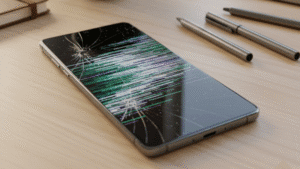
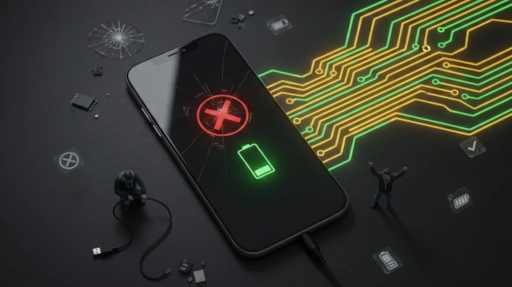
You wake up, reach for your phone, and press the power button. Nothing happens. You press it again, harder this time, as if that ever helps. Still nothing. Your heart sinks a little. Is it dead? Is all your data gone? Did you just lose every photo from the past year?
Take a breath. You’re not alone in this moment of panic, and chances are, your phone situation isn’t as bad as it seems right now.
Why Dead Phones Are More Common Than Ever
Here’s something that might surprise you: smartphone failure rates have actually increased over the past few years, even as technology has improved. Sounds backwards, right?
The reason is simple. We’re pushing our phones harder than ever before. You’re probably using your phone for work emails, video calls, gaming, photography, navigation, and about fifty other things throughout the day. All that use takes a toll.
Tech forums and Reddit communities show a clear trend: the “won’t turn on” issue is far more common now than it was five years ago. The devices aren’t necessarily worse, we’re just demanding more from them and holding onto them longer. When that happens, getting help from the best phone repair Adelaide professionals can often bring a seemingly dead device back to life without needing a replacement.
The Real Reasons Your Phone Won’t Wake Up
Battery Problems That Sneak Up on You
Your phone battery is like a rechargeable flashlight that slowly loses its ability to hold a charge. Every time you charge and drain it, you’re using up one of its limited life cycles. Most phone batteries are designed to last about two to three years before they start acting strange.
But here’s where it gets tricky. A failing battery doesn’t always give you clear warning signs. Sometimes it just quits suddenly. You might think your phone has plenty of charge, and then boom it shuts down and won’t restart.
We’ve talked to people in Adelaide who swear their phone died at 50% battery, and they’re not imagining things. When batteries age, their ability to report accurate charge levels decreases. Your phone might think it has power when it really doesn’t.
What you should try: Plug your phone into a charger you know works well. Leave it there for at least an hour, even if nothing appears to be happening. Sometimes a completely drained battery needs time to accept enough charge before it can even show you the charging screen.
Software Crashes That Look Like Hardware Problems
Your phone runs on software, and software can freeze just like your laptop occasionally does. The difference is your phone doesn’t have a visible “not responding” error message. It just goes black and stays that way.
This happens more often than you’d think. Apps can conflict with each other, system updates can go wrong halfway through, or your phone’s memory can get so full that everything just stops working.
According to repair technicians across Australia, software issues account for a surprising number of phones that “won’t turn on.” The good news? These are often fixable without replacing any parts.
What you should try: Force restart your phone. Every phone model has a slightly different method, but it usually involves holding down specific button combinations for 10 to 30 seconds. For most iPhones, you press and hold the power button with a volume button. For Android phones, you typically hold just the power button for an extended time. Yes, it feels awkward holding buttons that long, but stick with it.
The Sneaky Charging Port Problem
We share something embarrassing that happens to almost everyone: your charging port gets clogged with pocket lint, dust, and random debris. Over time, this builds up like a tiny dust bunker inside your phone.
When this happens, your charging cable can’t make proper contact with the charging pins. You might plug in your phone and think it’s charging, but it’s not actually getting power. The phone stays dead, and you blame the battery when really, it’s just dirt.
Repair shops in Adelaide see this constantly. It’s one of those problems that seems too simple to be real, but it genuinely stops thousands of phones from charging every single day.
What you should try: Look closely at your charging port with a light. See any buildup? Grab a wooden toothpick (never use metal you could damage the contacts) and very gently scrape out any debris. You’ll be shocked at what comes out. Just be gentle and patient.
Water Damage That Takes Its Time
Water and electronics don’t mix. Everyone knows that. But what many people don’t realize is that water damage can be a slow killer. You might get your phone wet, dry it off, and think you’re fine. Then weeks later, it suddenly won’t turn on.
Why the delay? Because moisture can sit inside your phone, slowly corroding the internal connections. Adelaide’s coastal humidity doesn’t help either, especially during our humid summer months.
Even worse, modern “water-resistant” phones aren’t actually waterproof. That rating decreases over time as seals wear down. A phone that could survive a quick dip when it was new might not handle the same situation two years later.
What you should try: If you know your phone got wet recently, don’t keep trying to turn it on. Every time you try, you risk short-circuiting damaged components. Your best bet is professional help from someone who can properly dry and clean the internal parts.
Physical Damage You Might Not See
Drops happen. We’ve all done it. Most of the time, you pick up your phone, see the screen is fine, and move on with your life. But internal damage doesn’t always show on the outside.
A hard drop can disconnect internal cables, crack solder joints on the logic board, or damage the power button mechanism itself. Your screen might look perfect while internal components are actually broken.
Real Stories from Real Phone Owners
We tell you about Mark from Adelaide. His phone died one morning, completely out of the blue. He tried everything: different chargers, different outlets, even left it charging overnight. Nothing worked. He was ready to buy a new phone.
Turns out, his charging port was so packed with lint that the cable literally couldn’t reach the charging contacts. Ten minutes of careful cleaning, and his phone worked perfectly. He felt silly, but hey, he saved himself hundreds of dollars.
Then there’s Jessica, whose iPhone shut down during a software update. The screen went black and stayed that way for three days. She thought it was bricked. A force restart finally got it working again, and she learned a valuable lesson about not starting updates when your battery is low.
Stories like this matter because they show that a “dead phone” doesn’t always mean an expensive fix or an immediate upgrade. In many cases, issues that look serious can be resolved through basic troubleshooting or professional iPhone phone repairs, saving both time and money.
What Local Repair Experts Actually Say
We’ve talked with phone repair technicians around Adelaide and experienced ourselves , and they all say roughly the same thing: most people give up too quickly. They assume the worst and don’t try the simple fixes first.
As one repair specialist explained: “We see phones every week where people think they need major repairs, and it turns out to be something simple like a drained battery that needed more charging time, or a dirty port, or just a software reset.”
Australian Consumer Law also protects you if your phone fails prematurely, which many people don’t know about. If your phone stops working within a reasonable timeframe, you might have rights to repair or replacement, regardless of whether you’re still under manufacturer warranty.
Your Action Plan When Your Phone Dies
Here’s what you should do, in order:
First: Stay calm. Panicking doesn’t fix phones, and you need to think clearly.
Second: Plug it into a reliable charger (not some random old cable you found in a drawer) and leave it for at least an hour. Be patient.
Third: While it’s charging, try a force restart. Hold those buttons even though it feels like you’re holding them forever.
Fourth: Check the charging port with a flashlight. If you see debris, clean it out carefully.
Fifth: Think back, did anything happen recently? Did it get wet? Did you drop it? Did an update start and not finish?
Sixth: If none of this works, it’s time to seek professional help. Don’t try to open your phone yourself unless you really know what you’re doing.
When DIY Fixes Make Sense vs. When They Don’t
You can safely try these things yourself:
- Different chargers and cables (borrow from friends to test)
- Force restarts (can’t hurt, might help)
- Gentle port cleaning with non-metal tools
- Giving the phone time to charge if it’s been completely dead
You should definitely get professional help for:
- Opening up the phone
- Battery replacement (modern phone batteries can be tricky and even dangerous if punctured)
- Water damage recovery
- Anything involving the logic board or internal connections
The Emotional Side Nobody Talks About
Let’s be real for a second. When your phone won’t turn on, it’s not just about the device. It’s about everything on it. Your photos, your messages, your contacts, your notes, your two-factor authentication apps basically, a chunk of your life.
This is why people panic. It’s not really about the phone itself. It’s about what the phone contains.
This is also why regular backups matter so much. I know, I know—everyone says this, and almost nobody actually does it. But seriously, set up automatic cloud backups. In the future you will be incredibly grateful.
What’s Changing in the Phone World
The good news is that phones are slowly becoming more repairable. There’s growing pressure on manufacturers to make devices that can be fixed rather than just replaced. The European Union is pushing hard for right-to-repair laws, and Australia is watching closely.
We’re also seeing battery technology improve. Newer batteries are getting better at lasting longer and degrading more gracefully. Instead of suddenly dying, they’re designed to give you more warning signs.
But here’s what I’m still not sure about: Will phones ever go back to having easily replaceable batteries like they did ten years ago? The industry seems committed to sealed designs, but consumer frustration is building. Something’s going to have to give eventually.
The Bottom Line
When your phone refuses to power on, it feels like a disaster. But more often than not, it’s a solvable problem. Sometimes it’s as simple as charging longer or cleaning a port. Sometimes it needs professional repair. Occasionally, yes, it really is time for a new phone.
The key is not to assume the worst immediately. Try the simple solutions, give them time to work, and don’t be afraid to ask for expert help when you need it.
Your phone will probably be okay. And even if it’s not, your data hopefully is (because you’ve been doing those backups, right?).
Stay calm, troubleshoot methodically, and remember humans survived for thousands of years without smartphones. You can survive a few hours or days while you get yours fixed.
Frequently Asked Questions
Q: My phone won’t turn on even after charging all night. What now?
A: Try a different charger and cable first—sometimes the charging accessories fail, not the phone. Also attempt a force restart even while it’s plugged in. If there’s still no response, the battery might be completely dead or there could be internal damage that needs professional diagnosis.
Q: Is it worth repairing an older phone that won’t turn on?
A: It depends on what’s wrong and how old the phone is. If it’s a simple fix like a battery replacement and your phone is less than three years old, repair often makes sense. For phones older than that or with major component failures, you’ll need to weigh repair options against getting a newer model.
Q: Can a phone that got wet weeks ago suddenly stop working?
A: Absolutely yes. Water damage can corrode internal components slowly over time. Even if your phone seemed fine after getting wet, moisture might have been sitting inside causing gradual damage. This is why it’s important to get phones properly dried and cleaned after any water exposure, even if they still seem to work.
Q: How can I prevent my phone from dying unexpectedly?
A: Keep your charging port clean, avoid extreme temperatures (don’t leave it in hot cars or in freezing cold), use quality chargers, don’t let your battery drain to zero constantly, and replace your battery before it gets too old. Also, keep your software updated and don’t fill your storage completely. Regular maintenance goes a long way.
Dealing with a phone that won’t power on in Adelaide? Choose Digimob for expert diagnosis and repair services from professionals who understand these frustrating problems.