Picture the chaotic morning rush: you’re balancing a hot coffee in one hand, your mobile device in the other, and attempting to context-switch between three urgent tasks before walking out the door. You need to fire off a critical email response, verify your Google Calendar schedule, and investigate an anomalous charge on your banking app simultaneously.
For years, standard smartphone user interfaces have failed to solve this fragmented multitasking problem, scaling up user cognitive load instead of reducing it.
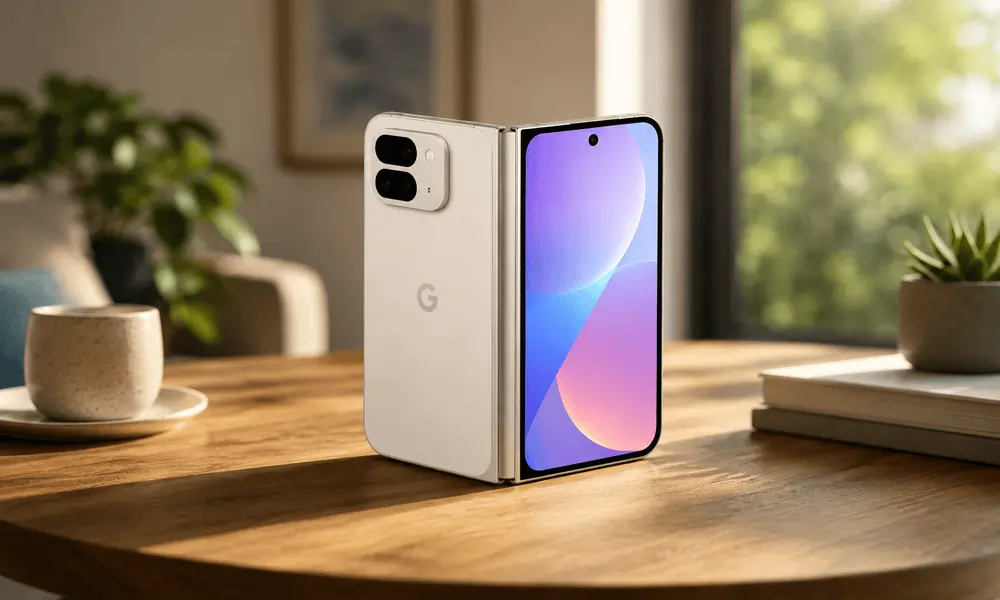
The Google Pixel Fold, supercharged by native Gemini AI integration, offers a legitimate paradigm shift in mobile productivity. This isn’t just another superficial artificial intelligence gimmick; it is an architecture built on deep intent recognition and contextual awareness.
If you have been curious about what all the fuss is around Gemini AI and whether it actually delivers on its promises in real-world use, you are in the right place. It is also helpful for users interested in smarter device performance and reliable Google Pixel Repair solutions when dealing with foldable technology and advanced AI features together.
Multimodal Processing Beyond Legacy Voice Assistants
Legacy digital assistants are fundamentally limited by their reliance on isolated voice commands, typically restricted to simple data retrieval, setting timers, or executing basic search queries. In contrast, Google’s Gemini architecture is natively multimodal. This means the system processes text, audio, images, and deep contextual cues simultaneously within a single conversation thread.
On a day-to-day operational level, this advanced natural language processing allows the system to execute complex workflows that previously required a desktop interface:
- Visual Data Analysis: The system can analyze a screenshot of a complex document or financial statement, instantly extracting core metrics without requiring manual data entry.
- Contextual Summarization: Gemini can parse dense, multi-layered email threads, providing a clear bulleted summary of key action items and drafting accurate responses based on the ongoing context.
- Deep Operating System Integration: Unlike third-party AI applications that operate in isolated sandboxes, Gemini is hardcoded directly into the device’s core operating system, native camera applications, messaging frameworks, and search ecosystem.
Maximizing the Expanded Screen Real Estate
The physical form factor of a foldable device provides a near-tablet-sized canvas that fundamentally changes user interaction patterns. When this physical space is paired with native AI tools, it resolves the traditional bottlenecks of mobile multitasking.
Instead of constantly cycling through open tabs or copying and pasting data across siloed applications, users can leverage side-by-side app utilization. For instance, you can review an intricate technical document on the left panel while utilizing Gemini on the right panel to explain complex variables or translate passages in real time.
By aligning advanced contextual awareness with a versatile, high-resolution physical interface, the technology actively adapts to complex human workflows, delivering a genuinely efficient digital workspace that handles heavy operational lifting in the background.
Everyday Situations Where Gemini AI Actually Helps
Summarising Long Emails and Documents
One of the most underrated features is Gemini’s ability to read and summarise. If you open a long email thread in Gmail on your Pixel Fold, Gemini can give you a quick summary of what was discussed and what action is needed. For people who deal with dozens of emails a day, this alone saves a significant amount of time.
Research found that workers spend around 28 percent of their working week reading and responding to emails. Anything that cuts into that number meaningfully is worth paying attention to.
On the wide inner screen of the Pixel Fold, you can have Gmail open on one side and Gemini’s summary panel open on the other. You get the full picture without scrolling endlessly.
Smarter Photography with AI Processing
The Pixel Fold already has an outstanding camera system inherited from Google’s flagship Pixel line. Gemini enhances this with features like Magic Eraser, Photo Unblur, and Best Take, which uses AI to swap faces across multiple shots so everyone looks good in group photos.
But beyond editing, Gemini helps you understand what you are photographing. Point your camera at a plant, a landmark, or a product, and Google Lens powered by Gemini can identify it, give you context, find similar items online, or even translate text in real time.
For travellers, students, or anyone who is visually curious about the world, this is genuinely useful.
Real-Time Conversation and Translation
If you have ever travelled overseas or live in a multicultural city like Adelaide, you know the challenge of communicating across language barriers. Gemini on Pixel Fold supports real-time translation during conversations, which means you can hold a two-way spoken conversation through your phone with someone who speaks a completely different language.
The wide screen format also makes it easier to show translated text to the person you are speaking with, since the display is large enough to read comfortably from a short distance.
Writing Assistance Across Apps
Whether you are writing a text message, a work email, a social media caption, or a long note, Gemini can jump in and help. It can suggest better phrasing, fix tone, expand on a short idea, or make something more concise. This works across multiple apps because Gemini is built into the Android layer itself.
For people who struggle with written communication or simply want to save time, this kind of contextual writing support is a genuine advantage.
Managing Your Day with Contextual Intelligence
Gemini can look at your calendar, your emails, and your location to give you proactive suggestions. If you have a meeting in 30 minutes and traffic is picking up, it can nudge you to leave early. If you received an email asking for a document, it can help you find and send it without you having to search through folders.
This kind of contextual intelligence, where the AI understands the situation around a task rather than just the task itself, is what separates Gemini from older assistant technology.
Multitasking on the Pixel Fold: A Different Experience Entirely
The Pixel Fold’s inner screen supports a taskbar at the bottom, similar to what you would find on a tablet or computer. You can drag apps into a split screen, open a floating window over your current app, or run three apps simultaneously in certain configurations.
Gemini ties all of this together. If you are in the middle of a conversation and want to look something up, you can ask Gemini in a floating overlay without leaving the app you are in. The AI response appears on top of your current screen, you get the information you need, and you go back to what you were doing.
For people who regularly context-switch between tasks, which is most of us, this saves time and reduces the cognitive load of navigating between apps constantly.
Gemini and Privacy: What You Should Know
A reasonable concern with any AI assistant is what happens to your data. Google has stated that Gemini conversations are not used to train its models by default when you use the service on a Pixel device with certain privacy settings enabled. You can review your activity, delete conversation history, and manage permissions through your Google account settings.
It is worth spending a few minutes going through these settings when you first set up Gemini on your Pixel Fold. Understanding what is being shared helps you use the feature with confidence rather than anxiety.
Common Issues Users Run Into with Gemini on Pixel Fold
No technology is perfect, and even a well-integrated AI system like Gemini can run into hiccups in everyday use. Here are some of the more common frustrations people report and what usually causes them.
Gemini occasionally misunderstands voice commands, especially in noisy environments or with strong accents. This is a natural language processing limitation that Google continues to improve with regular model updates. Keeping your Pixel Fold updated to the latest Android and Pixel Drop software ensures you always have the most accurate version of the model.
Some users find that Gemini’s suggestions feel intrusive if they appear too frequently. This can usually be adjusted in your assistant settings, where you can tune how proactive or passive you want the AI to be.
Battery drain is another concern, since running AI features continuously does use processing power. The Pixel Fold is not a small phone battery-wise, but heavy AI usage throughout the day can push consumption higher than usual. Using Gemini selectively rather than leaving it in always-on mode helps manage this.
Occasionally, Gemini may have trouble accessing information from certain apps if it does not have the right permissions. Checking app permissions in your settings usually resolves this quickly.
When Your Pixel Fold Needs More Than a Software Fix
Gemini AI is software, and software can usually be fixed with updates, resets, or settings changes. But the Pixel Fold is also a complex piece of hardware, and foldable screens in particular have unique physical vulnerabilities.
The hinge mechanism, the inner flexible display, the outer cover screen, and the antenna system are all areas where physical damage can occur through regular use. If your Pixel Fold’s screen is not responding correctly, the fold is not closing smoothly, the camera is behaving strangely despite a software reset, or the battery is draining despite no AI activity running, these are signs that hardware attention may be needed.
Software troubleshooting steps to try first include restarting the device, clearing the cache partition, checking for system updates, resetting Gemini’s app data, and performing a network reset if connectivity features are misbehaving. If none of these resolve the issue, the problem is likely physical rather than digital.
Pixel Fold repairs require a technician who understands foldable display technology specifically. It is a different skill set from repairing a standard smartphone, so choosing an experienced provider for Google Pixel Screen Repairs is important.
If you are in Adelaide and looking for trustworthy repair support for your Pixel Fold, Digimob is a local option worth considering, with service locations across Adelaide available for bookings.
Frequently Asked Questions
Q: Does Gemini AI work without an internet connection on Pixel Fold?
A: Some features work offline, but the most powerful Gemini capabilities require an internet connection because they rely on cloud processing.
Q: Can Gemini AI control other apps on my Pixel Fold?
A: Yes, Gemini has the ability to interact with supported apps through a feature called Gemini Extensions.
Q: Does using Gemini constantly drain the Pixel Fold battery faster?
A: Active Gemini use does consume additional power. Passive features in the background have minimal impact, but running extended AI conversations
Q: What should I do if Gemini stops responding or crashes on my Pixel Fold?
A: Try clearing the Gemini app cache under Settings, then Apps, then Gemini. If the issue continues, check for system updates or contact Google support.
The Bigger Picture: AI Integration Is the Future of Smartphones
The Pixel Fold with Gemini AI is one of the clearest signals yet of where smartphone technology is heading. Artificial intelligence is moving from being a novelty feature to being the actual operating layer of how a device functions. The phone does not just respond to you anymore. It anticipates, assists, and adapts.
For everyday users, this means spending less time fighting with your phone and more time actually getting things done. Whether that is sorting through information faster, communicating more clearly, capturing better memories, or simply reducing the mental overhead of daily tasks, the impact is real and measurable.
The Pixel Fold gives Gemini the physical space to shine. That larger inner screen, the flexible form factor, and the deep Android integration create conditions where AI assistance feels natural rather than forced. As more people invest in premium foldable devices, reliable phone repair services in Adelaide are also becoming increasingly important for protecting and maintaining advanced smartphones.
If you have been on the fence about whether a foldable with AI is worth it in 2026, the honest answer is that the gap between what Gemini can do and what older phone setups can do is widening quickly. Getting familiar with these tools now puts you ahead of the curve.