Samsung tablets are widely used for work, entertainment, and daily communication, offering convenience and portability. However, many users face the frustrating issue of a battery that drains quickly, which can interrupt productivity and limit device usage. Several factors contribute to this problem, including high screen brightness, multiple apps running simultaneously, and software inefficiencies. While some solutions involve simple settings adjustments and app management, persistent battery issues may indicate underlying hardware problems. In such cases, seeking a professional Samsung tablet repair can restore optimal battery performance, extend device longevity, and ensure smooth operation. Understanding the causes and solutions is essential for maintaining your tablet’s reliability and efficiency.
Understanding Battery Drain Causes
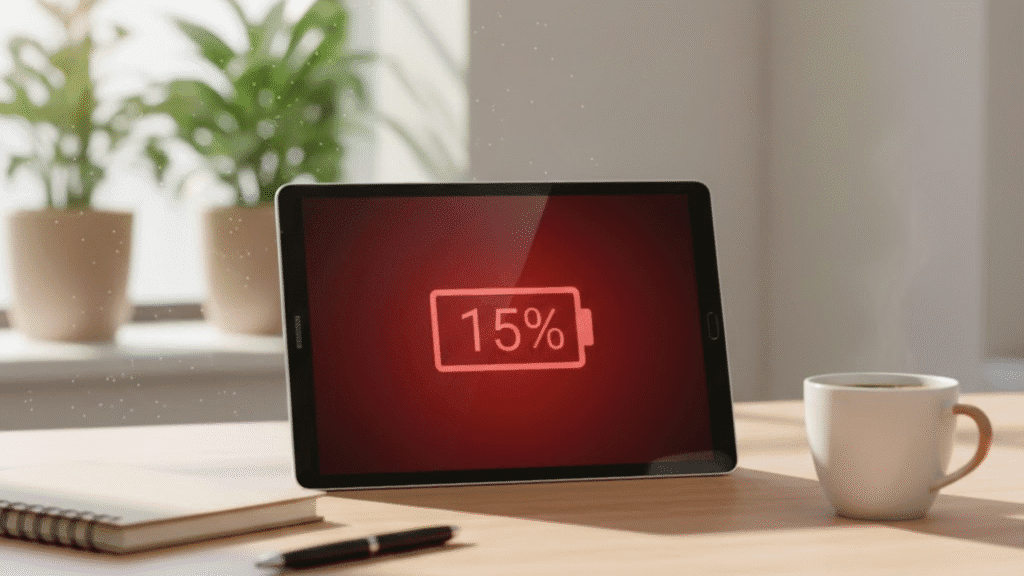
Tablet batteries can drain quickly due to various factors. High screen brightness, background apps, and constant notifications often contribute to fast energy consumption. For example, streaming apps, social media platforms, and games continue to use power even when not actively in use. Older software versions can also include inefficiencies that increase battery usage. Recognizing these causes is the first step toward extending battery life.
Hardware Factors
Over time, battery cells degrade naturally, reducing their ability to hold a charge. Frequent charging cycles and extended use contribute to this wear. If your tablet is a few years old, the battery may require professional attention to maintain optimal performance.
Optimizing Settings for Better Battery Life
Properly configuring tablet settings can significantly reduce power consumption. Lowering screen brightness, enabling power-saving modes, and limiting background data usage help conserve energy. Additionally, managing connectivity options like Wi-Fi, Bluetooth, and location services ensures that battery usage aligns with your actual needs. These adjustments can noticeably improve battery longevity without professional intervention.
Battery Saver Features
Samsung tablets include built-in battery saver modes that automatically limit background activity, reduce system performance slightly, and extend usage during low-charge periods. Using this feature strategically helps maintain longer operational hours.
App Management Strategies
Apps are one of the primary sources of battery drain. Regularly reviewing which applications consume the most energy allows users to make informed choices. Closing unnecessary apps, uninstalling programs no longer in use, and clearing cached data can reduce power consumption. Monitoring app permissions ensures apps do not use resources excessively in the background, giving you better control over your tablet’s energy use.
Tracking High-Consumption Apps
Samsung devices provide usage statistics that highlight which apps impact battery life the most. By analyzing this information, users can decide which apps to limit or replace with lighter alternatives.
Hardware Maintenance and Longevity
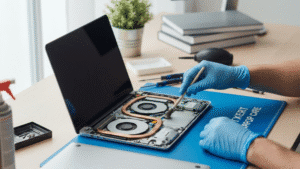
Even with optimized settings and app management, some battery issues are hardware-related. Aging batteries or internal component faults can cause rapid energy depletion. Timely maintenance prevents small problems from escalating into major failures.
Recognizing the Need for Repair
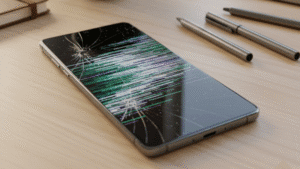
Signs like overheating, inconsistent charging, or swelling indicate that your tablet may require professional attention. Addressing these issues early protects the device and prolongs its useful life. Before any repair, performing a proper data recovery ensures all important files, photos, and documents remain safe during maintenance.
Selecting the Right Service Provider
When professional intervention is required, choosing the right provider is crucial. A trusted repair service in Adelaide can perform accurate diagnostics, use high-quality parts, and provide expert solutions. Skilled technicians also offer advice on maintaining battery health after repair, helping prevent future issues.
Best Practices for Long-Term Battery Health
Sustaining a tablet’s battery over the long term requires consistent care. Avoid exposing the device to extreme temperatures, charge it responsibly without letting it drop to zero, and keep the software updated. Additionally, monitoring app behavior and using battery saver modes contribute to optimal performance, reducing the likelihood of future battery problems.
Charging Habits
Partial charges are preferable to letting the tablet completely discharge. Disconnecting the device once fully charged prevents stress on the battery and helps preserve its capacity.
FAQs
Q1: How can I prevent my tablet battery from draining quickly?
Adjust brightness, manage background apps, use battery saver mode, and update your software regularly.
Q2: When should I consider professional repair?
If the tablet overheats, charges inconsistently, or the battery drains unusually fast, a professional assessment is recommended.
Q3: Is data backup necessary before repair?
Yes, performing a proper data recovery protects your important files and ensures a smooth repair process.
Q4: Can software updates improve battery life?
Yes, updates often optimize performance and fix bugs that contribute to battery drain.
Q5: Why choose Digimob for tablet repair?
Digimob provides expert technicians, quality parts, and reliable service. Many users leave a positive review, reflecting satisfaction and confidence in their repair solutions.
Conclusion
Ensuring a Samsung tablet maintains efficient battery performance enhances user experience and productivity. By understanding the causes of fast battery drain, optimizing settings, managing apps, and seeking professional repair when necessary, users can extend their device’s lifespan effectively. Many customers have shared positive reviews of services provided by Digimob, highlighting the professional expertise, reliable results, and long-lasting solutions offered. Following these strategies ensures your tablet remains dependable for daily use.