
There is nothing more frustrating than picking up your Android phone, only to find it has switched itself off again for no obvious reason. You did not press the power button. The battery was not at zero. It just… turned off. If this sounds familiar, you are not alone. Thousands of Android users deal with this exact problem every day, and the good news is that most of the time, it can be fixed without spending a cent.
This guide walks you through everything you need to know, from the most common causes to the practical steps you can take right now to stop your phone from randomly shutting down.
Why Does an Android Phone Keep Turning Off by Itself?
Before jumping into fixes, it helps to understand what is actually going on. Random shutdowns on Android devices are usually caused by one of three things: a software glitch, a battery problem, or a hardware fault. Sometimes it is a combination of all three.
Software issues are the most common culprit. A buggy app running in the background, a failed system update, or corrupted cache data can all cause your phone to crash and restart. Think of it like a computer that freezes and reboots when a program hits an error it cannot recover from.
Battery degradation is another big one. Lithium-ion batteries, the kind used in almost every modern smartphone, lose their ability to hold a stable charge over time. When the battery voltage drops suddenly under load, the phone loses power and shuts off, even if the battery indicator was showing 30 or 40 percent. This is called a voltage sag, and it becomes more common as a battery ages past the two to three-year mark.
Overheating is closely linked to both of the above. When an Android phone gets too hot, it will automatically shut itself down as a safety measure to protect the internal components. If your phone feels warm to the touch right before it turns off, heat is likely a contributing factor.
Hardware faults, such as a loose battery connection, a failing power button, or damage from a drop or water exposure, can also trigger unexpected shutdowns. These are less common but worth keeping in mind, especially if the problem started after your phone took a knock.
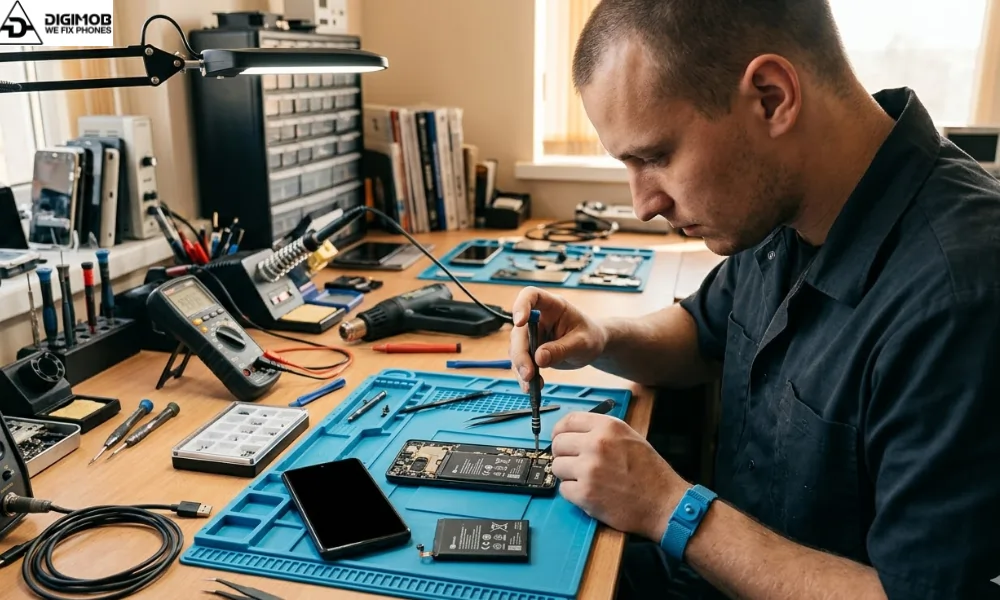
If your phone keeps shutting down and you’re in Adelaide, it’s a good idea to visit the best phone repair Adelaide service you can trust. Professionals can quickly assess whether the issue is software, battery, or hardware-related and provide a reliable fix without the guesswork.
Step by Step Troubleshooting: What to Try First
Starting with the simplest fixes and working your way up is the smartest approach. Here is what to do.
Restart your phone properly. A full reboot clears temporary system files and refreshes running processes. It sounds basic, but it genuinely resolves a surprising number of random shutdown issues.
Check your battery health. On most Android phones, you can get a rough idea of battery condition by going into Settings, then About Phone, then Battery Information. Some manufacturers, like Samsung, include a battery health percentage directly in the settings. If yours shows below 80 percent, the battery may be struggling to deliver consistent power.
Update your Android operating system. Go to Settings, then System, then Software Update. Running an outdated version of Android can leave known bugs unfixed. System updates often include patches specifically designed to address stability issues and random restarts.
Update all your apps. A single misbehaving app is sometimes all it takes. Head into the Google Play Store, tap your profile icon, and select Manage Apps and Device to check for available updates. If the shutdowns started after you installed a new app, try uninstalling it first to see if the problem goes away.
Clear your cache partition. Over time, cached data can become corrupted and cause system instability. On most Android devices, you can clear the system cache by booting into recovery mode (usually by holding the power and volume down buttons together) and selecting the Wipe Cache Partition option. This does not delete your personal data.
Check for overheating issues. If your phone is warm or hot when it shuts off, look at what you were doing right before. Heavy gaming, video streaming, or using navigation apps in direct sunlight are common triggers. Try giving the phone a break in a cool spot and see if the shutdowns reduce.
Turn off Battery Optimisation for critical apps. Sometimes Android‘s battery management system aggressively closes apps in the background, which can cause instability. Go to Settings, then Battery, then Battery Optimisation, and review which apps are being restricted.
Boot into Safe Mode. This temporarily disables all third-party apps and lets you run your phone on stock Android only. If the shutdowns stop in Safe Mode, you know a downloaded app is causing the problem. You can then uninstall apps one by one to find the culprit.
Perform a Factory Reset. This is the last software step to try. A factory reset wipes everything on your phone and restores it to its original state. Before doing this, back up your photos, contacts, and important files. Go to Settings, then General Management, then Reset, and select Factory Data Reset. If the problem is software-related, this usually fixes it completely.
When the Problem Is the Battery
If your phone passes through all the software fixes above and still keeps shutting down, the battery is almost certainly the issue. Signs that point to battery failure include the phone turning off at 20 to 40 percent charge, the battery draining much faster than it used to, the phone feeling warm even during light use, or the back cover bulging slightly (which indicates a swollen battery and needs immediate attention).
Replacing an Android battery is often straightforward and affordable. Many phone repair shops in Adelaide can swap out a battery in under an hour. It is one of the most cost-effective repairs you can do to extend the life of your device by another year or two.
When to Get Professional Help
There are certain situations where it really is best to hand the phone over to a professional technician rather than continuing to troubleshoot on your own.
If you have completed a factory reset and the phone still shuts off randomly, the issue is hardware-related. This could be a damaged power management chip, a faulty motherboard connection, or a deteriorating battery that needs physical replacement.
If your phone has been dropped or exposed to water before the shutdowns started, internal damage may be present that is not visible from the outside.
If the phone is getting extremely hot in one area, especially near the charging port or the back of the device, there could be a short circuit or a swollen battery, both of which are safety hazards.
In these cases, a trained technician can run diagnostic tests, open the device safely, and identify the root cause without causing further damage.
Frequently Asked Questions
Q: Why does my Android phone turn off even when the battery is charged?
A: This is usually caused by a degraded battery that can no longer deliver stable voltage under load. Even if the screen shows a reasonable battery percentage, the actual available charge may be too low to power the device during demanding tasks. A battery replacement typically resolves this.
Q: Can a software update fix random shutdowns?
A: Yes, in many cases it can. Android updates frequently include stability patches and bug fixes that address random restart and shutdown behaviour. Always keep your device updated to reduce the chance of software-related crashes.
Q: Is a phone that keeps switching off dangerous?
A: Not usually, but if the device is overheating or the battery is swollen, it is worth getting it checked quickly. A swollen battery in particular should never be ignored, as it can pose a fire risk in rare cases.
Q: How long should an Android battery last before needing replacement?
A: Most Android batteries are designed to retain around 80 percent of their original capacity after 500 full charge cycles, which typically works out to roughly two to three years of regular use. After that point, performance and stability tend to decline.
Will a factory reset fix my phone turning off by itself?
If the problem is caused by a software issue, corrupted system data, or a problematic app, a factory reset will usually fix it. If the root cause is hardware, particularly the battery, the shutdowns will continue after the reset.
Looking After Your Android Phone Long Term
Once you have sorted the shutdown issue, a few good habits will help keep your phone running reliably for longer. Avoid letting the battery drain completely to zero regularly, as this accelerates degradation. Try to keep your charge level between 20 and 80 percent when possible. Remove your phone from its case when doing anything that generates heat, like gaming or wireless charging. And make a habit of clearing your app cache every couple of months.If you’re in Adelaide and your phone keeps turning off, Digimob is the team you can trust for fast, honest, and reliable repairs. With glowing positive Google reviews praising their expertise, friendly service, and quick turnaround, they’ll pinpoint whether it’s a battery, software, or deeper issue and provide clear solutions, no confusing tech jargon, no runaround.