Imagine this. You are sitting at a café in Adelaide, scrolling through Instagram, and suddenly your iPhone feels like a hand warmer. The battery drops from 80% to 30% in under an hour. You have not even been doing anything heavy. No gaming, no video calls. Just regular everyday use.
This is one of the most common complaints iPhone users are reporting in 2026. Whether you are using an iPhone 15, iPhone 16, or even the newer iPhone 16 Pro Max, overheating and rapid battery drain are real problems affecting thousands of Australians every single day.
The good news is that most of the time, these issues are fixable. You do not always need to rush to a repair shop or spend hundreds of dollars on a new device. However, if the problem persists, seeking professional iPhone phone repairs can help diagnose deeper hardware or battery issues.
This guide walks you through exactly what causes these problems, how to fix them yourself, and when it is time to get professional help.
What Is Actually Happening When Your iPhone Overheats
Your iPhone is a powerful computer sitting in your pocket. It runs background tasks, syncs data, processes graphics, and manages dozens of apps at the same time. When too many of these processes stack up, your phone generates more heat than it can safely release through its aluminium casing.
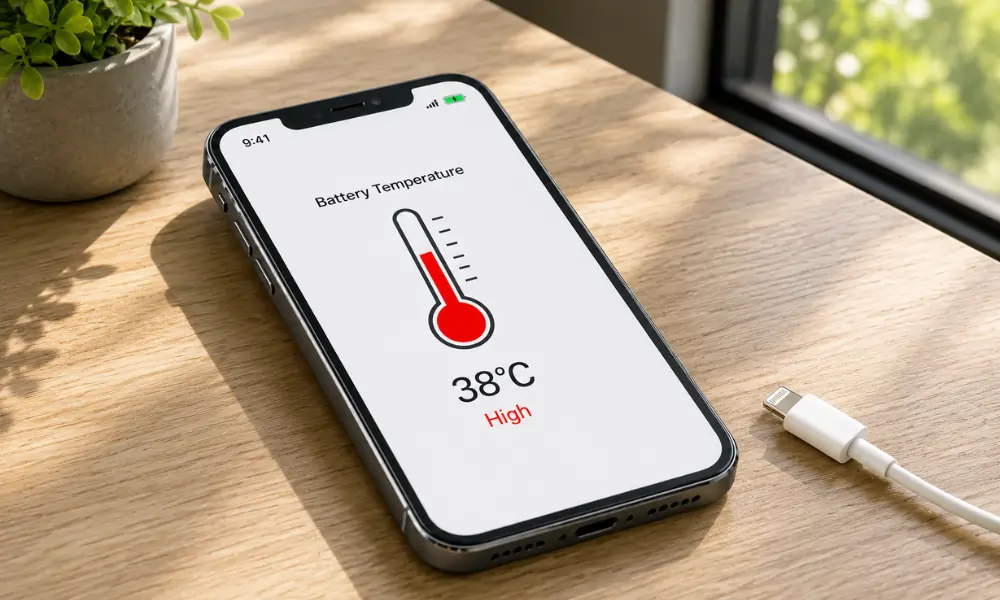
Apple itself acknowledges that iPhones operate best between 0 and 35 degrees Celsius. In Australia, especially during summer in Adelaide, ambient temperatures alone can push your device close to that limit before you have even opened a single app.
Battery drain and overheating are often connected. A battery that is working overtime to power an inefficient process generates heat. That heat then degrades the battery faster. It becomes a cycle that gets worse over time if you ignore it.
Common Causes of iPhone Overheating and Battery Drain in 2026
Understanding the root cause is the first step to fixing the problem. There are three main categories to look at: software issues, hardware conditions, and network behaviour.
Software and App Related Causes
One of the most frequent culprits is a poorly optimised app running in the background. After a major iOS update, some third-party apps do not immediately work well with the new system. They consume more processing power than they should, which heats up the chip and drains the battery.
In 2026, iOS 18 brought a wave of new features, including enhanced AI processing through Apple Intelligence. While these features are genuinely useful, they run on the device’s neural engine constantly in the background on some settings configurations. If your phone started overheating after an update, this is likely part of the reason.
Buggy software updates can also cause the system to loop background processes incorrectly. This is more common than most people realise and is often resolved with a follow-up patch from Apple.
Widgets, background app refresh, location services running for every app, and push email notifications all contribute to both heat and battery drain when left unmanaged.
Hardware Related Causes
If your iPhone is more than two years old, battery degradation is a real factor. Lithium-ion batteries lose capacity over time. Once your battery health drops below 80 per cent, Apple itself notes that the battery may struggle to deliver peak performance. This makes the phone work harder, generating more heat in the process.
A damaged or swollen battery is a more serious hardware issue. If your phone is warm even when it is idle and sitting on a table, and you notice the screen lifting slightly or the back panel bulging, that is a sign of a swollen battery. This needs immediate professional attention.
Physical damage to internal components, water exposure, or even using a non-genuine charger can also cause abnormal heat generation over time.
Network and Connectivity Related Causes
Surprisingly, your mobile signal can play a role in overheating. When your iPhone struggles to find or maintain a strong signal, whether on 5G, 4G LTE, or Wi Fi, it boosts its antenna power to compensate. This process draws more battery and generates more heat.
If you have noticed your iPhone getting hot in areas with weak reception, this is likely a contributing factor. Switching to aeroplane mode briefly and then back again can sometimes reset the antenna and reduce that load.
Bluetooth and Wi Fi scanning constantly for available networks also adds to the background processing load, even when you are not actively connected to anything.
Practical Fixes You Can Try Right Now
These steps are arranged from simplest to more advanced. Work through them one by one and test your phone after each step.
Restart Your iPhone
It sounds basic, but a full restart clears temporary system files, closes misbehaving background processes, and gives the operating system a clean slate. Hold the side button and volume down together, slide to power off, wait 30 seconds, and restart.
Check Battery Health
Go to Settings, then Battery, then Battery Health and Charging. If your maximum capacity is below 80 per cent, your battery is significantly degraded and replacing it will make a noticeable difference to both performance and heat levels.
Update iOS and All Apps
Go to Settings, General, Software Update. Make sure you are running the latest version of iOS. Then open the App Store, tap your profile icon, and update all pending apps. Developers regularly push fixes for performance and battery issues, especially when the iPhone, after updates, starts reacting differently, such as lagging, overheating, or draining battery faster.
Review Which Apps Are Using the Most Battery
Go to Settings, then Battery. Scroll down to see which apps have consumed the most battery in the last 24 hours and last 10 days. If an app you rarely use is near the top of that list, something is wrong with it. Delete it and reinstall, or remove it entirely.
Turn Off Background App Refresh for Non-Essential Apps
Go to Settings, General, Background App Refresh. Turn this off entirely or select it and choose Wi Fi only, then manually disable it for apps that do not need live updates.
Manage Location Services
Go to Settings, Privacy and Security, Location Services. Change most apps to While Using instead of Always. Apps that track your location constantly drain both battery and processing resources.
Reset Network Settings
If overheating seems tied to connectivity, go to Settings, General, Transfer or Reset iPhone, Reset, Reset Network Settings. This resets all Wi Fi passwords and mobile data settings, so make sure you have those handy, but it can resolve persistent antenna-related power issues.
Avoid Charging With a Non-Genuine Cable
Using cheap third-party cables or chargers can cause irregular charging cycles that stress the battery and generate excess heat. Always use Apple-certified accessories or reputable MFi-certified alternatives.
Let Your iPhone Cool Down Naturally
If your phone is hot right now, do not put it in the fridge or freezer. Rapid temperature changes can damage the screen and internal components. Simply remove the case, place it face down on a flat surface, and let it sit in a cool, dry spot for 10 to 15 minutes.
When to Seek Professional Repair
Some situations go beyond what a settings change can fix. If you notice any of the following, it is time to see a technician.
Your iPhone stays hot even after a full restart and with no apps running. Your battery health is below 75 percent and the phone shuts down unexpectedly. The screen or back panel appears to be pushing outward slightly. The phone has been exposed to water recently. You have already tried all the software fixes, and nothing has improved.
A swollen battery in particular is not something to delay on. It can pose a genuine safety risk and should be looked at as soon as possible.
FAQ: iPhone Overheating and Battery Drain
Q: Why is my iPhone getting hot while charging?
A: This is normal to a small degree, especially with fast charging.
Q: Does iOS 18 cause battery drain?
A: Some users have reported higher battery usage after updating to iOS 18, particularly due to Apple Intelligence processing features running in the background.
Q: How do I stop apps from draining my battery in the background?
A: Turn off Background App Refresh for non-essential apps and review Location Services settings.
Q: Is it bad to always keep my iPhone plugged in?
A: Modern iPhones have Optimised Battery Charging, which slows charging at 80 per cent to reduce battery wear.
Q: Can overheating permanently damage my iPhone?
A: Yes. Repeated overheating episodes can accelerate battery degradation and, in severe cases, affect other internal components.
Q: Why does my iPhone overheat in the car?
A: Direct sunlight through a windscreen can raise the temperature inside your car significantly above safe levels for electronics.
Protecting Your iPhone in 2026 and Beyond
iPhones are built to last, but they need a bit of attention and care to stay at their best. Keeping your iOS updated, managing your app permissions, using quality chargers, and being aware of your environment all make a real difference to how your device performs day to day.
Battery technology has improved in recent models, but no lithium-ion battery lasts forever. Understanding your device’s limits and responding to early warning signs like warmth during light use or faster than usual drain will save you time, money, and frustration.
If you are in Adelaide and have tried everything in this guide without success, the team at Digimob offer battery replacement and phone repair services in Adelaide locations. Sometimes, a professional second opinion is the most efficient path forward, and walking in with the knowledge from this guide means you will know exactly what questions to ask.
Your iPhone is an investment. Treating it that way keeps it running well for years to come.