
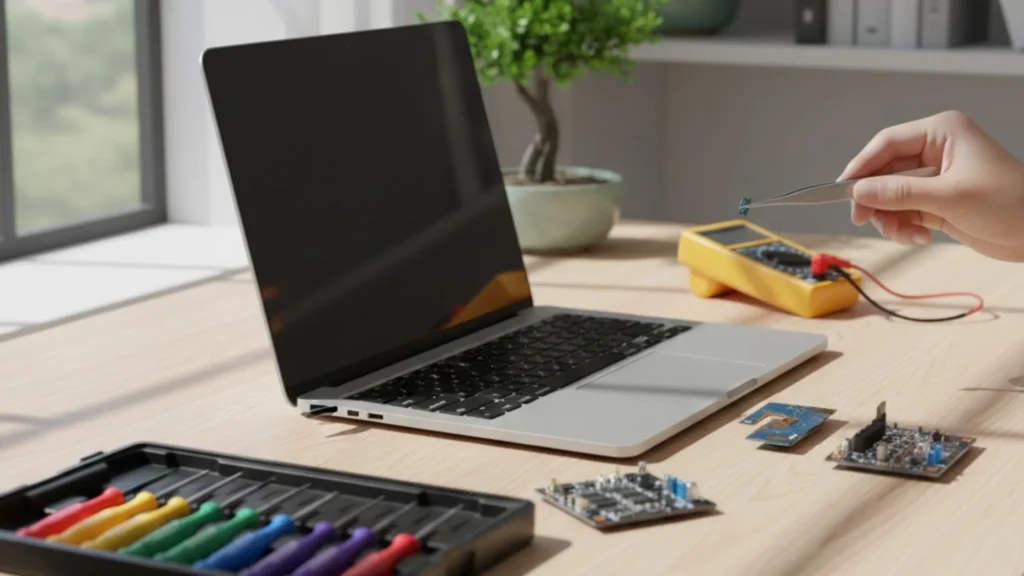
A laptop that refuses to charge can disrupt your workflow, slow your progress and create unnecessary stress, especially when you depend on your device for daily tasks. Before rushing to get help, it is useful to understand what might be causing the problem and what steps you can take to identify the issue. This guide provides a complete overview in an educational and action-based style designed to help you make confident decisions. You will also learn when a professional is needed so your device receives the right attention. Many users search for laptop repair when this problem occurs, but understanding the basics first can save time and money.
Understanding Why Charging Problems Appear
Charging problems can stem from a number of internal and external factors. In many cases, the cause is simple, but in others, deeper issues may be involved. Learning how these problems arise is the first step toward finding an effective solution.
Laptops rely on several components working together. The charger brings power into the device, the power jack allows the current to enter the system and the battery stores this energy for portable use. When any part of this chain is disrupted, the laptop may fail to charge. Identifying where the failure occurs helps determine the right approach.
Some charging issues appear suddenly, while others develop slowly. Being aware of the first warning signs is important because small problems can become more serious if they are ignored. Paying attention early often prevents bigger complications.
Visual Signs That Should Not Be Ignored
Many users overlook visual indicators that something is not right. You may notice the battery icon behaving strangely, showing percentages that jump up or down or remaining stuck at a fixed number. The light on the charger may flash or fail to turn on. In some cases, the charging message may appear briefly and then disappear.
Loose ports should also be taken seriously. If the charger wiggles inside the port, or if you need to hold it at a certain angle to make it work, the internal connection might be damaged. This can worsen quickly if not addressed in time.
Burn marks, a warm smell or unusual heat coming from the charging brick are major signs that something is malfunctioning. Continuing to use faulty components may lead to more severe damage inside the device.
How Battery Conditions Affect the Charging Process
Laptop batteries have a limited lifespan. As they age, their ability to store energy weakens. An old or degraded battery may refuse to charge fully or may drain rapidly even after charging. Some devices begin to slow down as the system tries to protect the battery from overheating or swelling.
While some laptops allow easy battery replacement, others require professional handling due to sealed components. Evaluating battery health helps determine whether you should replace it or focus on other potential issues.
When Internal Components Cause the Problem
Internal hardware can also cause charging issues. The power jack is one of the most common areas where failure occurs. A damaged jack may break its connection with the motherboard, preventing power from reaching the system. This can happen due to repeated plugging and unplugging, accidental pulls or drops, or general wear over time.
Another potential issue is a faulty power management system inside the device. Modern laptops use advanced circuits to regulate power flow. If the circuit is damaged, the laptop may not recognise the charger, may stop charging at random intervals or may fail to power on completely.
Diagnosing internal faults requires specialised tools and proper testing methods. Attempting to repair internal hardware without the right knowledge can lead to further complications.
How Software and Settings Play a Role
Not all charging issues are related to hardware. Software can also interfere with proper power management. Outdated drivers can confuse the system and prevent the battery from charging. Incorrect settings may cause the laptop to stop charging at certain percentages in an attempt to preserve battery health.
Some devices include built-in power-saving or battery protection modes that limit maximum charge. Users who are unaware of these settings often mistake them for a charging failure. Resetting the system, updating software and adjusting the settings can sometimes resolve the issue quickly.
The Importance of Professional Diagnosis
While basic checks can be done at home, an accurate diagnosis requires a trained technician. Charging issues often involve multiple components, and one fault can hide the presence of another. A professional evaluation ensures that every part of the system is inspected thoroughly.
Certified technicians use tools to measure voltage, test internal circuits and examine connections that are not visible externally. Proper diagnosis prevents guesswork and ensures the solution is accurate. This avoids unnecessary replacement of parts and helps maintain device performance.
Why You Should Not Delay Repairs
Delaying action can make the problem worse. A loose connection inside the device can cause sparks or overheating. A faulty charger may damage the internal circuits, and a damaged port may become completely unusable.
Prolonged use of a faulty battery can also reduce the overall lifespan of the laptop. Some batteries may swell over time, which can push against internal components and cause permanent damage. Early intervention helps prevent such complications.
Delays also increase the chances of losing unsaved files or interrupting important work. Ensuring that the laptop receives timely care helps protect both the device and your productivity.
Understanding the Role of Professional Services and Tools
Repair specialists are equipped with advanced tools that can test the exact point of failure. These include diagnostic machines, specialised soldering equipment and devices for checking battery health. Accurate testing helps identify whether the issue lies in the battery, the charging brick, the internal connection or the power circuit.
Technicians also follow safe procedures to protect components while working. They ensure that static electricity does not harm the motherboard and that repairs do not create new issues. Their training and skills make the process efficient, safe and reliable.
How Data and System Safety Are Managed During Repairs
During inspections, technicians often take steps to secure important system files and prevent accidental loss. This is especially important for users who rely heavily on their laptops for work or study. In some cases, users also require data recovery when the device fails to power on due to charging issues. Professionals have the tools and expertise to protect and recover important information where possible.
Why High Quality Parts Make a Difference
When replacement parts are required, choosing high-quality components ensures that the device runs smoothly. Cheaper parts may seem attractive at first, but they often cause inconsistent performance or further issues. Reliable components offer steady power delivery, longer lifespan and better compatibility with the laptop.
Professional services source parts that match the original specifications of the device. This helps maintain performance and stability over time. It also prevents overheating and sudden shutdowns that may occur with poorly made components.
When You Should Consider a Full Inspection
If your laptop has faced drops, liquid exposure or previous repairs, a full inspection is recommended. These factors can cause underlying issues that may not be visible immediately. A complete assessment helps ensure all components are functioning as they should.
Full inspections are also useful for older laptops. As devices age, components lose efficiency, and connections may weaken. A thorough evaluation helps identify areas that should be serviced before they fail.
Choosing a Professional for Dependable Support
Users often seek reliable technicians when their laptops face charging issues. Choosing a service provider who follows proper diagnostic steps, uses the right tools, and communicates clearly ensures accurate solutions. A dependable professional can explain the problem in simple terms and provide effective options. For anyone needing expert assistance, selecting a trusted repair service in Adelaide guarantees quality, reliable care and peace of mind.
FAQs
1. Why does my laptop stop charging sometimes?
Loose ports, battery wear, or internal power issues can cause intermittent charging. Professional checks prevent further damage and ensure proper function.
2. Can a damaged charging port be repaired?
Minor port issues can be repaired, but severe damage may require replacement. Technicians assess the exact cause for proper repair.
3. Why does my laptop charge slowly?
Slow charging can result from battery ageing, heavy background apps, or an underpowered charger. Proper care improves charging speed.
4. Can software issues affect charging?
Outdated drivers or incorrect power settings can prevent full charging. Updating software often restores normal battery performance.
5. Should I keep using my laptop if the charger works at angles?
Using a partially working charger risks port damage. Immediate inspection prevents electrical issues and further device problems.
6. Is it safe to use my laptop while charging daily?
Daily charging is safe with a good charger and a healthy battery. Avoid overheating or blocking vents during charging.
Conclusion
Most charging issues can be fixed with the right guidance and timely service. Choosing a reliable technician ensures accurate diagnostics, safe repairs, and long device life. Many users rely on professionals with positive reviews, which helps in selecting trustworthy support. If you need dependable assistance, Digimob offers expert help for smooth and confident device care.